
Interviews Overview
Last updated
1. Overall Process & Purpose
What This Module Does
The Interview Module in ATS360 manages all interview-related activity for a job application, including scheduling, interviewer coordination, candidate communication, feedback collection, and progress tracking across one or more interview stages.
Why This Module Exists
This module exists to:
- Standardize how interviews are scheduled and documented
- Eliminate off-system coordination (email chains, calendar back-and-forth)
- Ensure interviewer feedback is captured consistently
- Provide visibility into where each applicant is in the interview process
Value Provided
- Recruiters can schedule, track, and manage interviews from one record
- Hiring Managers & Interviewers receive structured invites and feedback forms
- HR maintains a complete, auditable interview history tied to the application
2. Definitions
| Term | Definition |
|---|---|
| Interview Stage | A configured step in the interview process (up to five total) |
| Interview Event | A scheduled interview with a fixed date and time |
| Interview Availability Request | A request allowing candidates to select from multiple proposed times |
| Interview Progress Bar | Visual indicator showing completed and current interview stages |
| Interview Feedback Form | Structured form interviewers complete after interviews |
| Skip Interview Step | Action allowing progression without scheduling an interview |
| Interviews Subtab | Section displaying all interview events and requests |
3. Step-by-Step Directions
Step 1: Enter the Interview Module
- Open a Job Application that has moved to In Progress
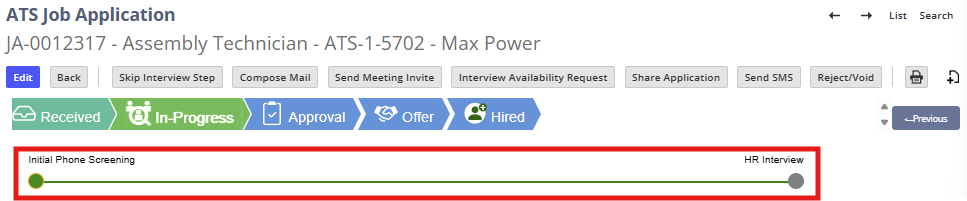
- Review the Interview Progress Bar near the top of the application record
System Behavior
- Interview stages appear as dots or steps
- The number of stages depends on system configuration (maximum of five)
Step 2: Understand Interview Stage Flow
Each interview stage follows the same general pattern:
- Schedule an interview or
- Request candidate availability or
- Skip the interview stage (if appropriate)
- Collect interviewer feedback
- Progress to the next stage
Step 3: Review Available Interview Actions
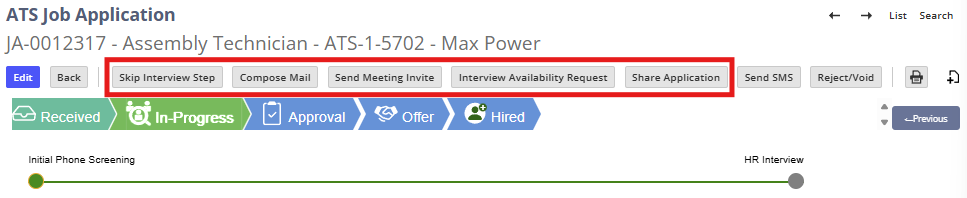
From the application record, recruiters may see:
- Send Meeting Invite
- Interview Availability Request
- Skip Interview Step
- Compose Mail
- Share Application
Which buttons appear depends on:
- Current interview stage
- Prior actions taken
- System configuration
Step 4: Track Interview Activity
Interview-related activity is automatically recorded in:
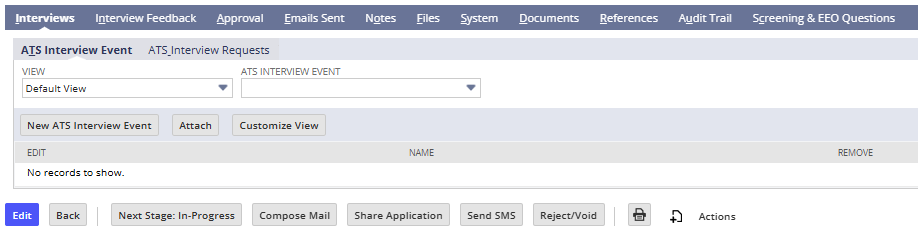
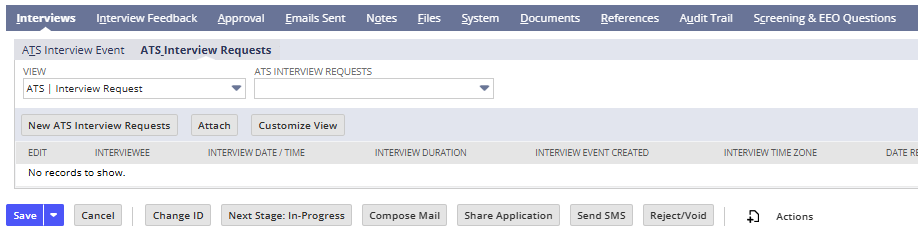
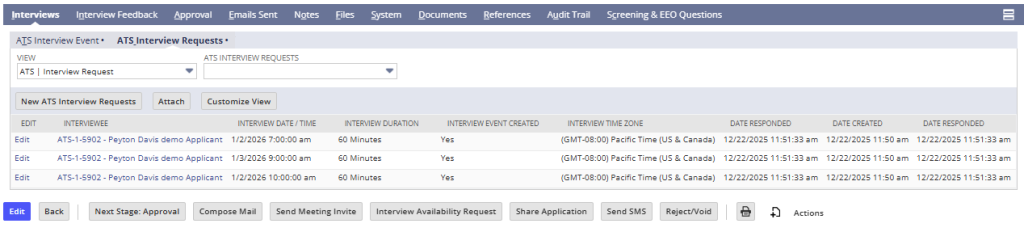
- Interviews Subtab – scheduled events and availability requests

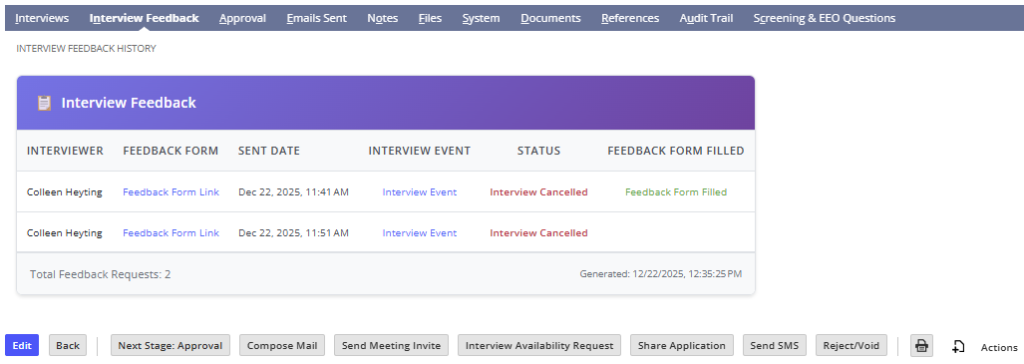
- Interview Feedback Subtab – completed feedback forms
- Empty during the Received stage

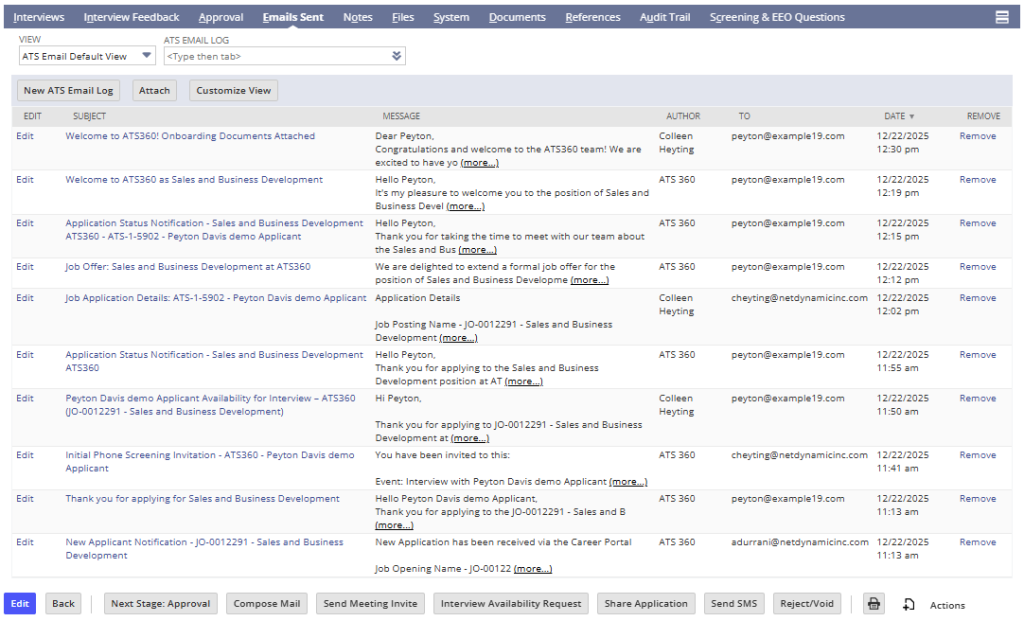
- Email Sent Subtab – all interview-related emails
Step 5: Repeat for Additional Interview Stages
If multiple interview stages are configured:
- The same process repeats for each stage
- The progress bar updates as stages are completed
- Feedback is captured separately for each stage
Step 6: Complete the Interview Process
Once all interview stages are completed:
- The recruiter can move the applicant to:
- Approval

4. Summary of Outcome
When the Interview Module is used correctly:
- Interviews are scheduled and tracked consistently
- Candidates receive clear, timely communication
- Interviewers provide structured, comparable feedback
- Recruiters have full visibility into interview progress
- The application is ready for approval or offer stages
The Interview Module ensures a repeatable, well-documented, and collaborative interview process within ATS360.