
Managing a Job Posting
Last updated
1. Overall Process & Purpose
This article covers all ongoing activities that occur after a job has been created and published. This includes collaborating with hiring managers, engaging candidates, reviewing applications, and performing actions that move candidates through the hiring process.
The purpose of managing a Job Posting is to:
- Support collaboration between recruiters and hiring managers
- Manage candidate communication and visibility
- Enable efficient handling of applications at scale
Value Provided
- Recruiters can efficiently review, share, and act on applications without duplicating work.
- Hiring Managers receive controlled access to participate in screening and feedback.
- HR & Administrators maintain visibility, consistency, and auditability throughout the hiring process.
2. Definitions
| Term | Definition |
|---|---|
| Job Applications Subtab | The primary area within a Job Posting where all submitted applications for that job are listed and managed. |
| Hiring Manager Portal | A restricted-access portal that allows hiring managers to review candidates, answer feedback questions, and provide screening input without full ATS access. |
| Invite Candidate | A job-level action that allows recruiters to send an application invitation link to a candidate who has not yet applied. |
| Invited Candidates | Candidates who have been sent an invitation to apply but have not yet completed the application. |
| Share Application | A feature that allows recruiters to share a candidate’s application with other internal users for review. |
| Bulk Actions | Actions performed on multiple applications at once, such as changing stages or sending communications. |
| Application Stage | The current step of a candidate within the hiring workflow (e.g., New Applicant, Screening, Interview). |
| Application Status | Indicates a candidate’s application stage.. |
| Notes & Files | NetSuite native Job-level or application-level records used to optionally document decisions, comments, and attachments. |
3. Step-by-Step Directions
Step 1: Access an Existing Job Posting
- Navigate to ATS Overview.
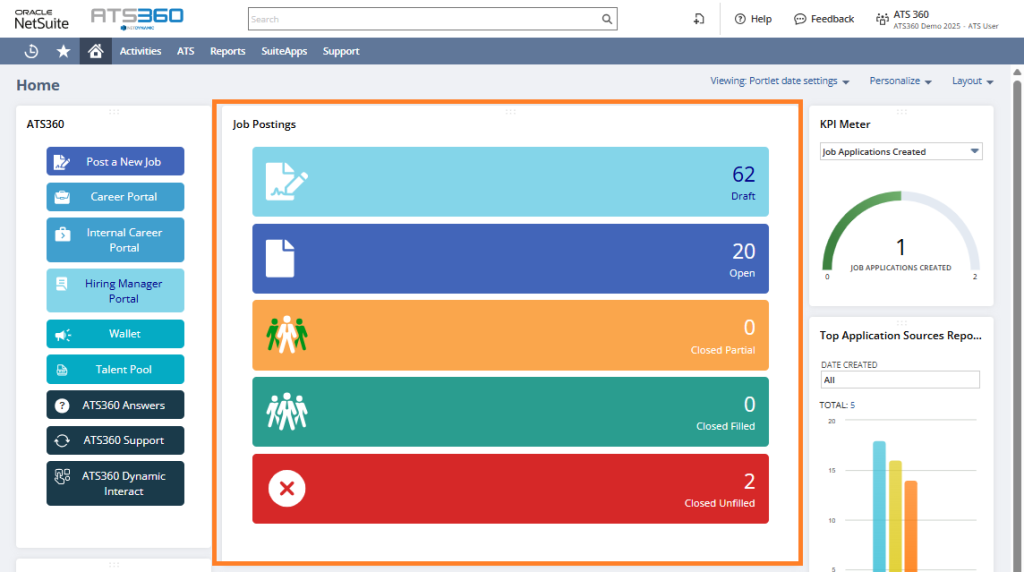
- Locate the desired Job Posting using the Job Posting Tile Filters on the Dashboard.
- Click the View or Edit buttons to open the record.
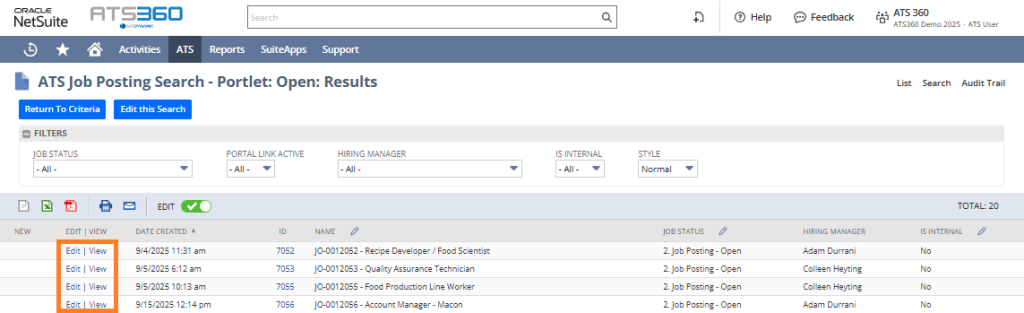
System Behavior: The Job Posting opens with all related subtabs available.
Step 2: Add or Update Hiring Managers
- Open the Job Posting record.
- Locate the Hiring Manager field.
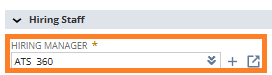
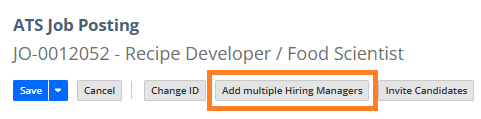
- Add one Hiring Manager and add additional Hiring Managers as needed using the Add Multiple Hiring Managers button.
- Save the record.
System Behavior:
- Hiring Managers gain access to screen candidates on Job Postings they are added to.
- Access level depends on system configuration.
Step 3: Invite Candidates to Apply
- Open the Job Posting record.
- Click Invite Candidates.

- Select as many potential candidates as required.
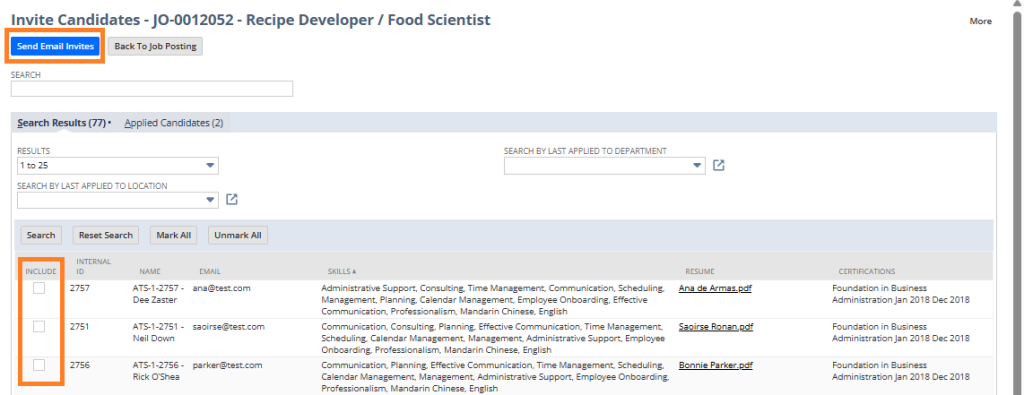
- Send the invitation by clicking Send Email Invites.
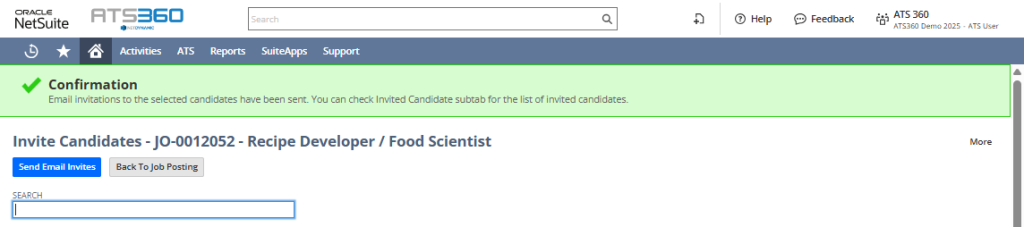
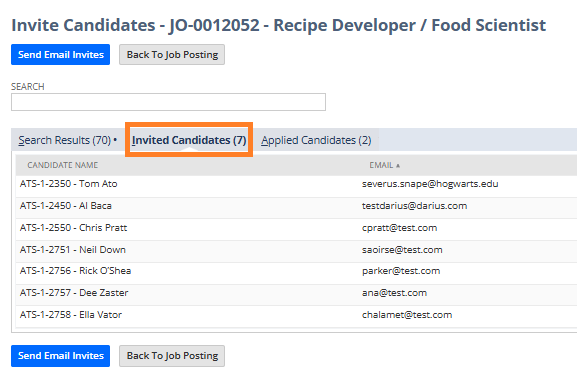
- (Optional) View the list of invited candidates.
System Behavior:
- The candidate receives an email with an application link.
- If the candidates decide to apply, their applications appear under the Job Applications subtab.
Step 4: Share Applications
- Navigate to the Job Posting record.
- Click Share Applications, a new window will pop-up.

- Select as many applications as necessary.
- Enter a destination email address and CC as necessary.
- Click Send.
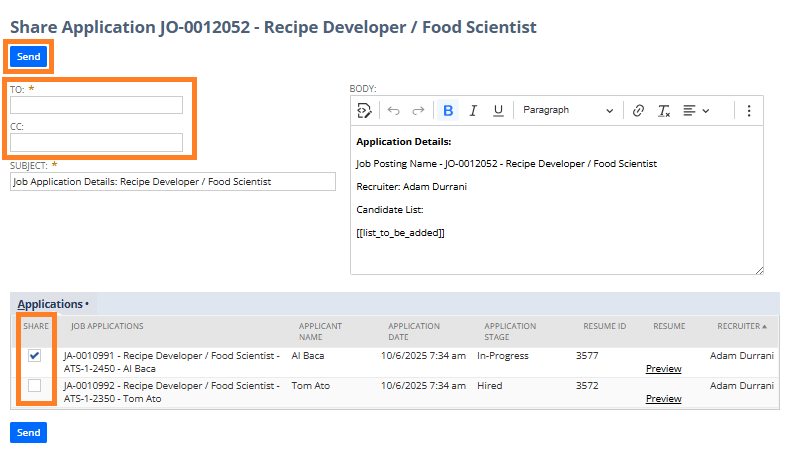
System Behavior: Shared users can view the application without becoming the owner.
Step 5: Perform Bulk Actions
- Navigate to the Job Posting record.
- Click Bulk Actions.

- Choose a Bulk Action (e.g., change stage, send email).
- Select as many applications as necessary.
- Click Execute Action.
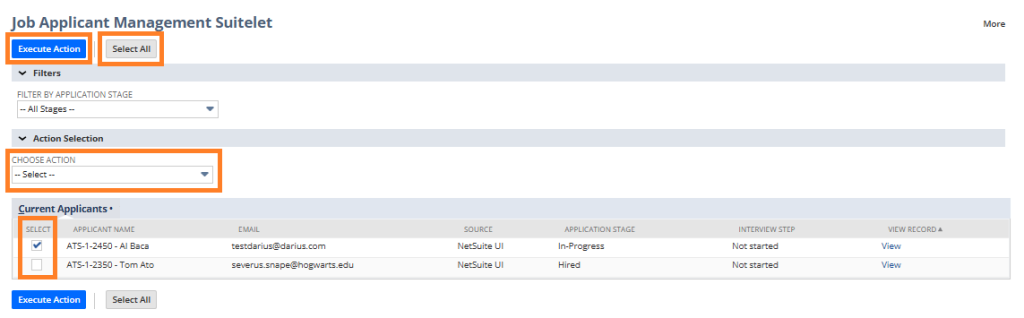
System Behavior: Bulk actions apply the selected change to all chosen applications.
Conditional Path: Available bulk actions may vary based on workflow configuration.
4. Summary of Outcome
When a Job Posting is actively managed:
- Candidates are engaged, reviewed, and progressed efficiently.
- Hiring Managers are properly involved without excess system access or permissions.
- All actions and decisions are documented within ATS360.
- The job remains organized and ready for closure or hiring decisions.
This stage ensures smooth collaboration and consistent candidate handling throughout the hiring lifecycle.