
Job Application Workflow: Received to Hired
Last updated
1. Overall Process & Purpose
What This Workflow Does
The ATS360 Job Application Workflow manages a candidate’s full lifecycle from the moment they submit an application through final hire and employee conversion. It provides a structured, auditable path that ensures applicants move consistently through review, interviewing, approval, offer, and hiring stages.
Why This Workflow Exists
This workflow exists to:
- Standardize how candidates are evaluated and progressed
- Ensure visibility for recruiters, hiring managers, and approvers
- Support compliance, documentation, and reporting needs
- Reduce manual tracking and off-system communication
Value Provided
- Recruiters gain a single system to manage applicants, communication, interviews, and offers
- Hiring Managers receive structured feedback, approvals, and shared visibility
- HR maintains complete records, audit trails, and clean conversion into NetSuite employee records
2. Definitions
| Term | Definition |
|---|---|
| Job Application | The ATS360 record created when an applicant applies to a job posting |
| Received | Initial stage for all newly submitted applications |
| In Progress | Indicates the recruiter has begun reviewing the applicant |
| Interview Stages | Substages under In-Progress. Configurable stages (up to five) used to schedule and track interviews |
| Approval | Stage requiring designated users to approve progression(optional) or manual progression |
| Offer | Stage where an offer letter is generated, reviewed, and sent |
| Hired | Final stage indicating the applicant has accepted the offer |
| Reject / Void | Action used to remove an applicant from the process |
| System Buttons | Stage-based actions that control workflow progression |
| Subtabs | Sections on the application record storing interviews, emails, notes, files, and history |
3. Step-by-Step Directions
Step 1: Application Submission (Applicant-Facing)
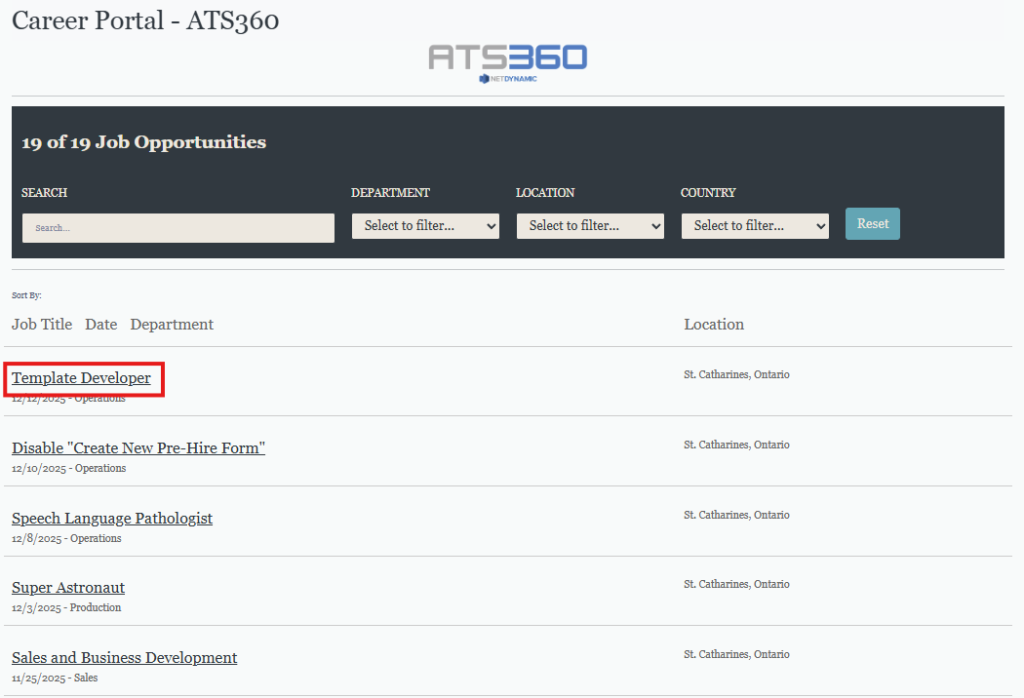
- Applicant visits the Career Portal
- Selects a job posting
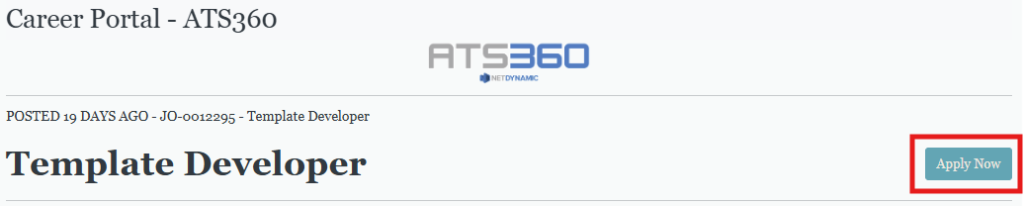
- Clicks Apply Now
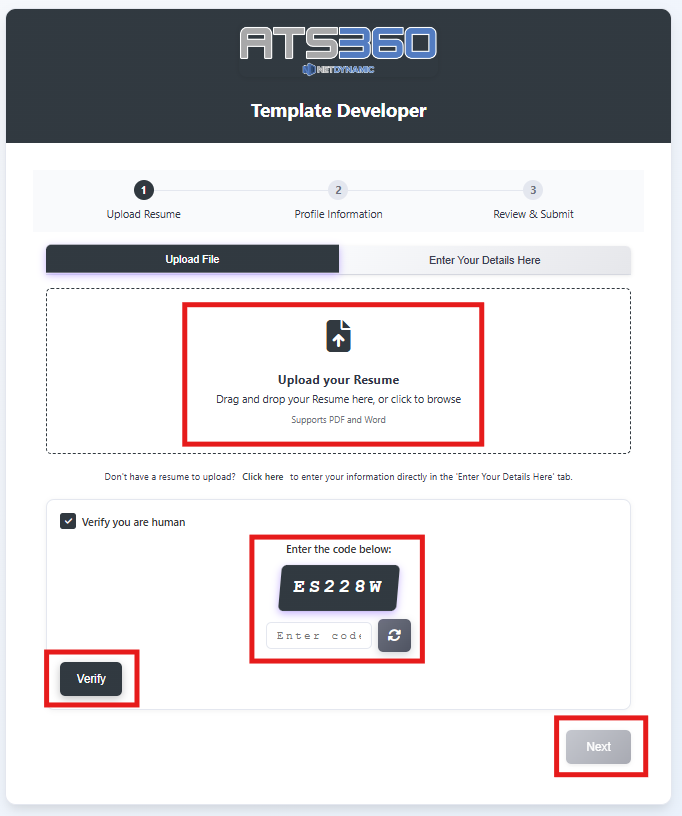
- Completes the Easy Apply process:
- Upload resume
- Complete Captcha
- Confirms parsed information
- Answers screening questions
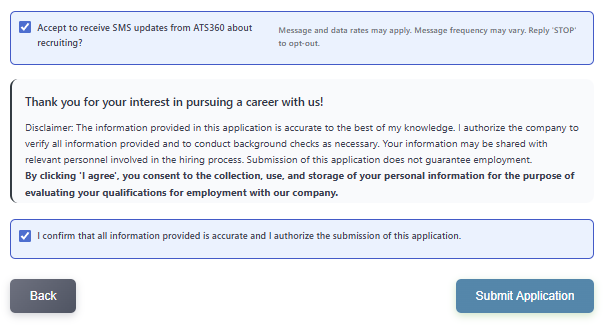
- Accept Consent Checkboxes
- Submits application
System Behavior
- Resume data is parsed into the application record
- Applications using the same email address automatically merge
- Confirmation emails are sent to both applicant and recruiter (if configured)
Step 2: Application Enters “Received” Stage
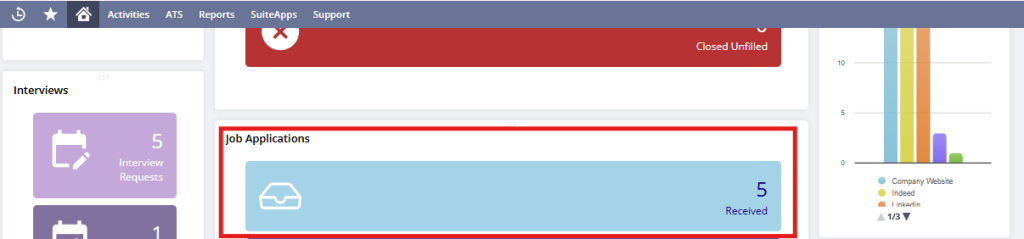
- Recruiter navigates to Job Applications
- Opens the Received tile
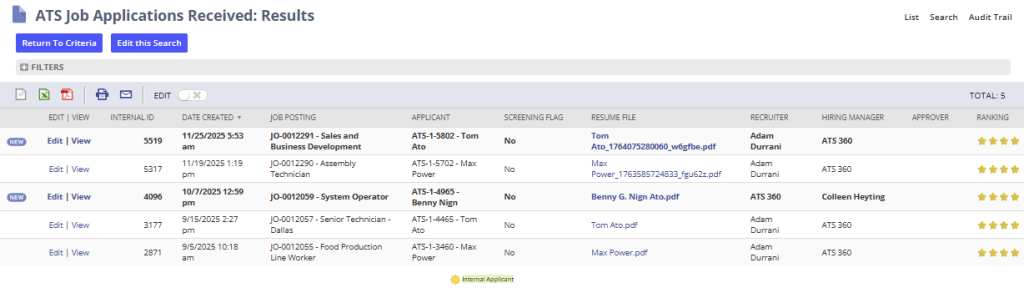
- New applications appear:
- Bolded to indicate they have not been reviewed
- Ranked using AI scoring (if enabled)
Outcome
- Application is officially in ATS360
- Recruiter can now take action
Step 3: Move Application to In Progress
- Open the applicant record by selecting “View” next to the applicant’s record.
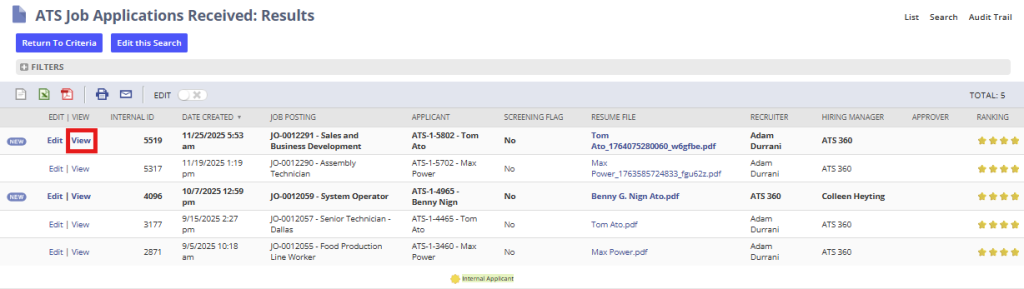
- Select Next Stage: In Progress

Purpose
- Indicates active review has begun
- Unlocks interview-related actions
Step 4: Interview Process (One or More Stages)
Depending on configuration, recruiters may:
- Send Meeting Invites (fixed time)
- Send Interview Availability Requests (candidate selects time)
- Skip interview stages when appropriate
- Collect structured interviewer feedback

Key Notes
- Up to five interview stages are supported
- Interview progress is shown visually on the application

- Feedback forms are automatically linked to interview events
Step 5: Approval Stage (If Enabled)
- Recruiter selects Next Stage: Approval
- Approval requests are sent to the assigned approval group
- Approver selects Application Approved
Configuration Note
- This stage is automated if approval workflows are enabled. Otherwise, the recruiter will manually progress the candidate from Approval to the next stage.
Step 6: Offer Stage
- Recruiter selects Generate Offer

- Completes offer details
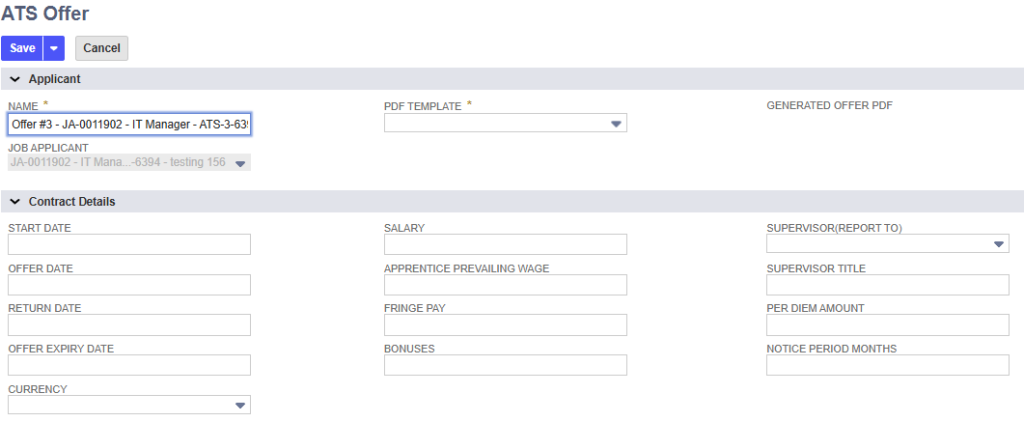
- Generates and reviews the offer PDF

- Send offer to applicant after review

- Confirm Offer Template and select Send
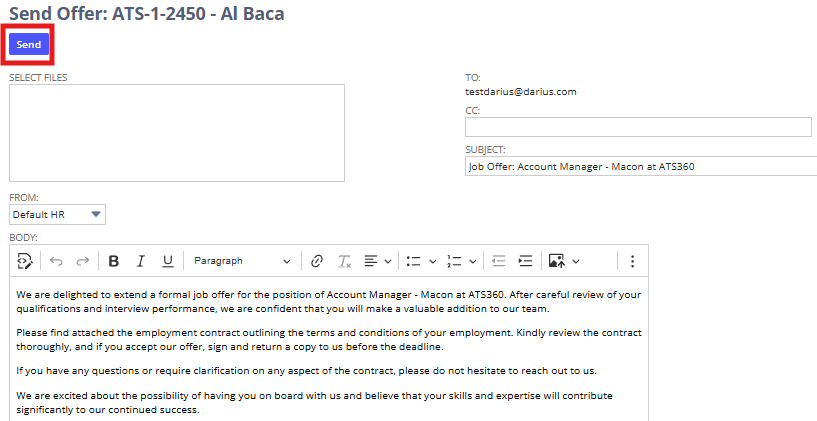
- Tracks Offer Accepted or Offer Declined

Step 7: Hired Stage
- After acceptance, recruiter selects Next Stage: Hired

- Available actions include:
- Send Welcome Email
- Send Welcome Package (or Pre-Hire Package if enabled)
- Convert to Employee

Step 8: Convert to Employee
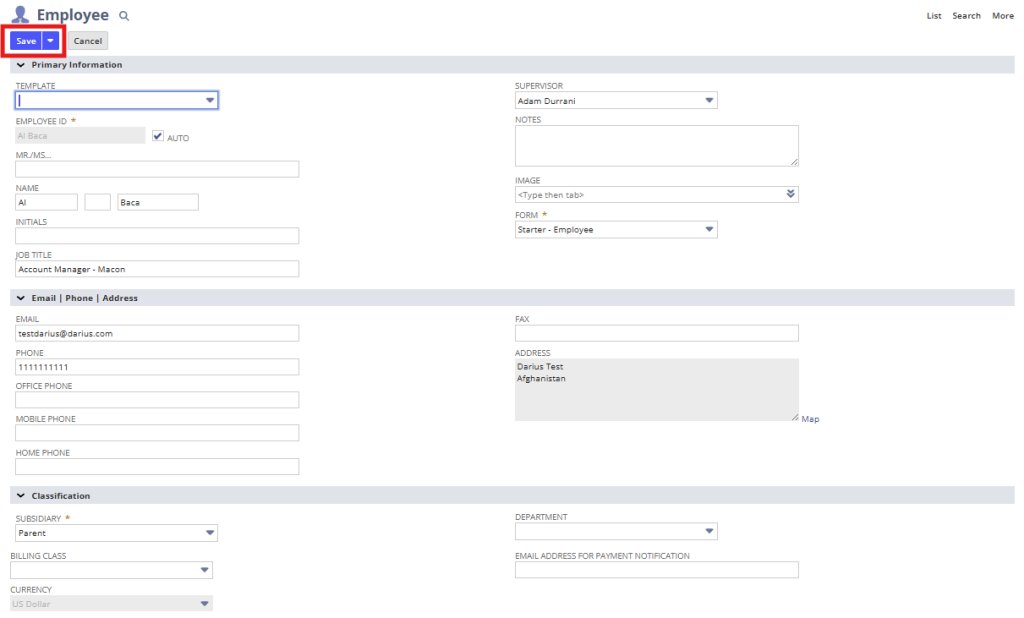
- Select Convert to Employee
- System creates a NetSuite Employee record
- Applicant data is carried forward automatically
- Populate additional information
- Select Save
4. Summary of Outcome
When the workflow is completed correctly:
- The applicant has progressed through all required stages
- All interviews, approvals, emails, and documents are recorded
- Offer status and acceptance are clearly documented
- A NetSuite Employee record is created with pre-populated data
- Full audit history is retained on the application record
This workflow ensures a controlled, repeatable, and fully traceable hiring process within ATS360.