
Received Stage -Job Application Form
Last updated
1. Overall Process & Purpose
What This Stage Does
The Received stage is the entry point for all applicants once they submit an application through the Career Portal. At this stage, the Job Application Form captures and displays all information provided by the applicant, including parsed resume data, screening responses, and system-generated details.
Why This Stage Exists
This stage exists to:
- Centralize all applicant data in a single, review-ready record
- Allow recruiters to quickly assess fit before progressing candidates
- Provide structured, standardized information for consistent evaluation
Value Provided
- Recruiters can quickly review qualifications, flags, and AI scoring
- Hiring Managers gain early visibility into candidate details
- HR benefits from accurate data capture and audit-ready records
2. Definitions
| Term | Definition |
|---|---|
| Job Application Form | The primary ATS360 record that stores all applicant data |
| Easy Apply | Applicant-facing form that parses resume data into the system |
| Parsed Data | Information automatically extracted from the applicant’s resume |
| Screening Questions | Job-specific questions configured on the job posting |
| Screening Flag | Indicator showing whether an applicant’s answers triggered a rule |
| Do Not Hire | Recruiter-controlled flag preventing future hiring consideration |
| Profile Comments | Free-text notes entered by recruiters or hiring managers |
| AI Ranking | Numerical score (1–5) indicating fit based on resume parsing |
3. Step-by-Step Directions
Step 1: Access the Application Form
- Navigate to Job Applications
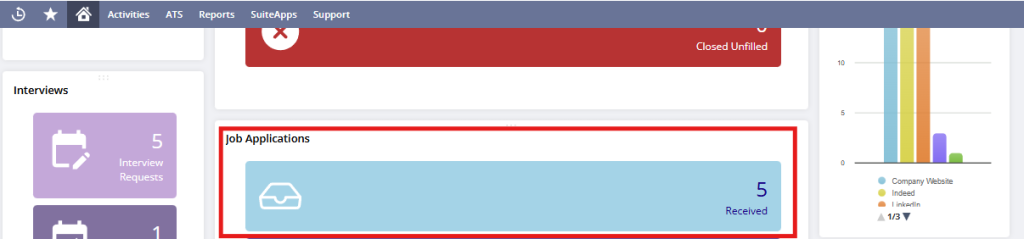
- Open the Received tile
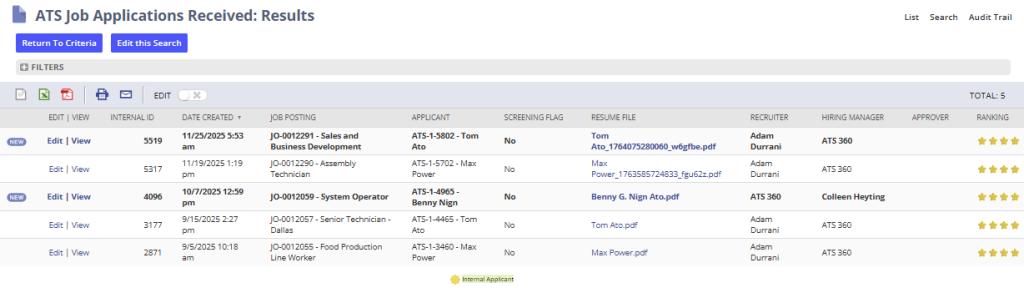
- New applications appear:
- Bolded to indicate they have not been reviewed
- Ranked using AI scoring (if enabled)
- Open the applicant record by selecting “View” next to the applicant’s record.
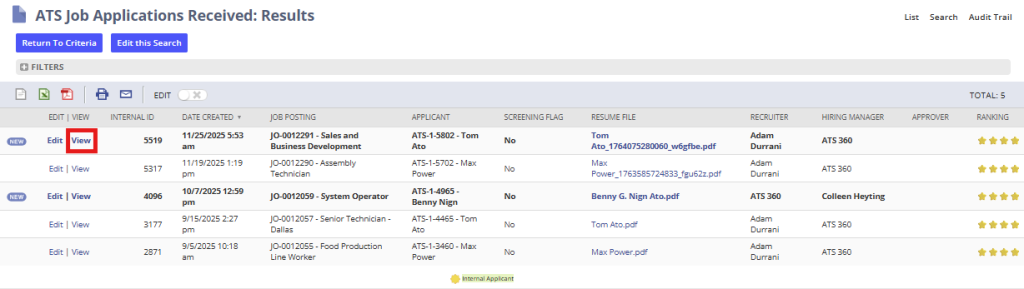
You are now viewing the applicant’s Job Application Form in the Received stage.
Step 2: Review Core Application Information
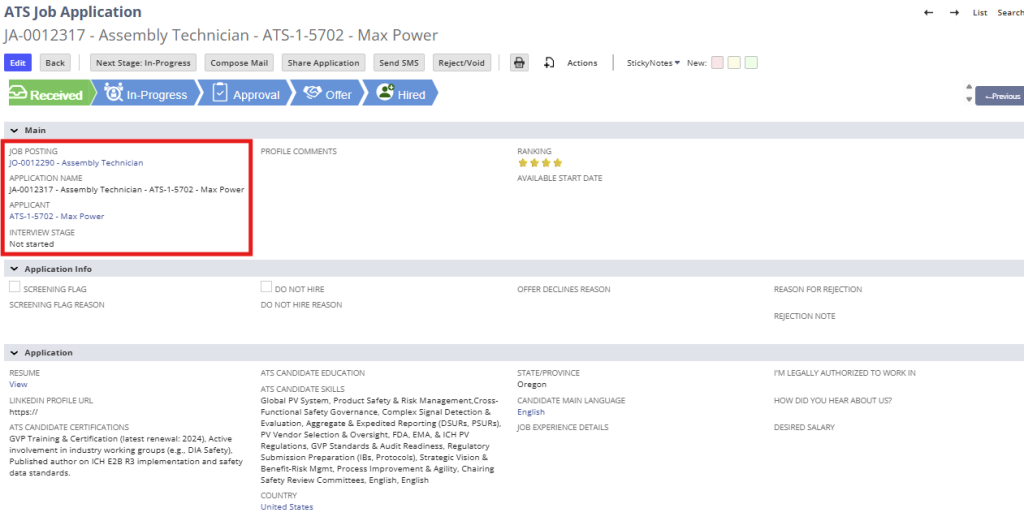
At the top of the record, review:
- Job Posting the applicant applied for
- Application Name (system-generated)
- Applicant Name
- Current Stage (Received)
This information is system-generated and cannot be edited directly.
Step 3: Review Parsed Applicant Details
The following fields are automatically populated from the resume where possible:
- Name
- Email address
- Phone number
- Physical address
- LinkedIn profile
- Skills
- Work experience
- Education
- General professional summary
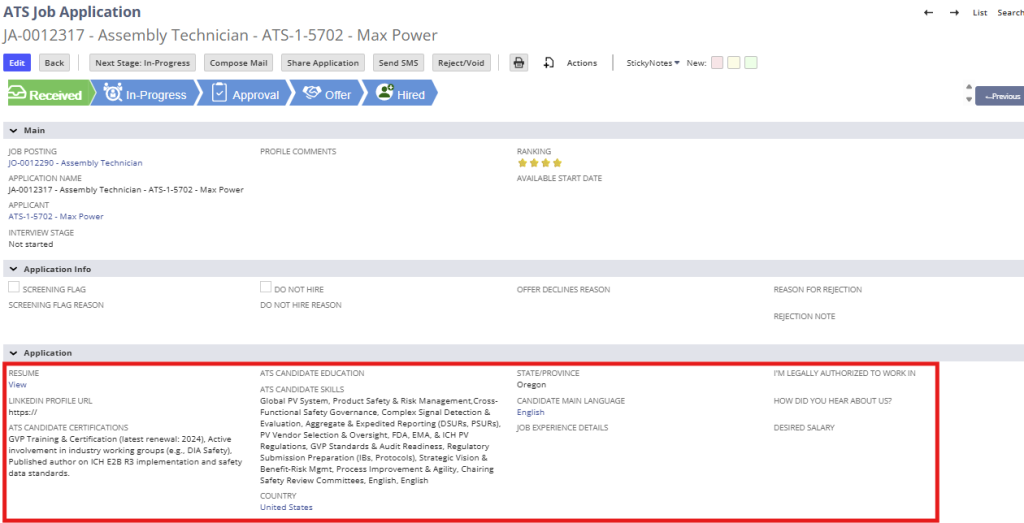
Recruiter Action
- If any parsed information is missing or incorrect, click Edit
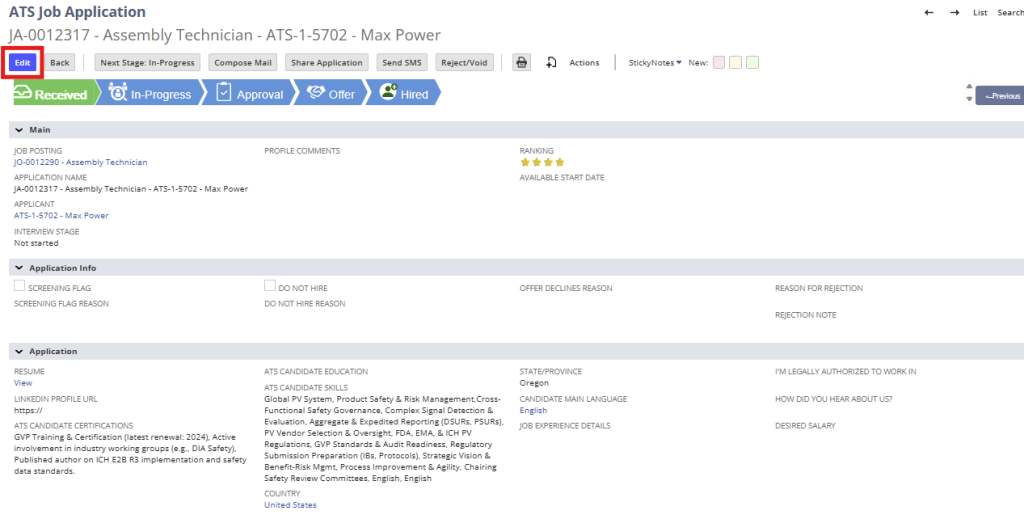
- Manually update or complete fields as needed
- Click Save
Step 4: Review Screening Questions & Flags
- Locate Screening Flag and Screening Flag Reason
- Review applicant responses pulled from the job posting configuration
System Behavior
- Flags may be positive or negative depending on configuration
- Example: “Authorized to work” responses may trigger a flag
- Flag logic is fully configurable by company
Step 5: Use the Do Not Hire Control (Optional)
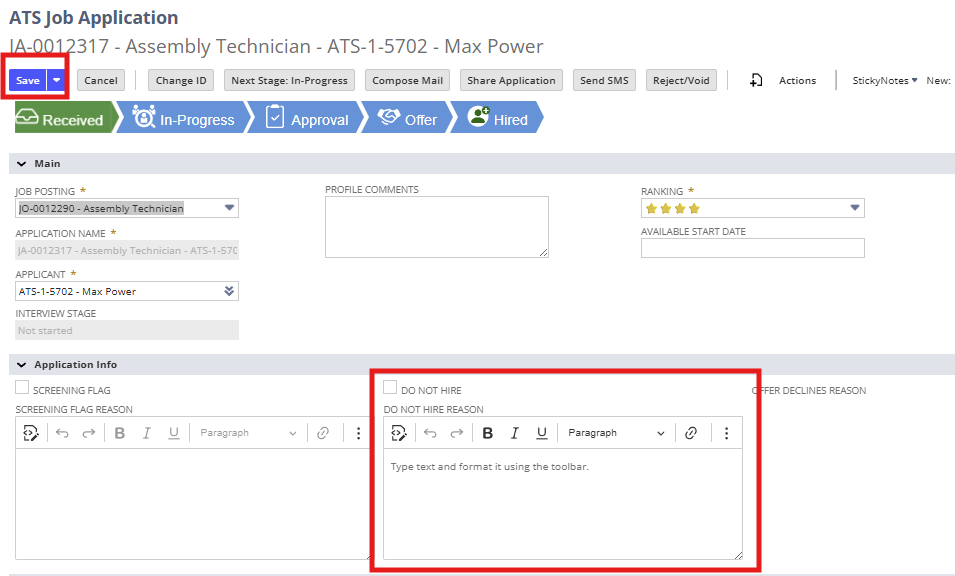
- In Edit Mode: select Do Not Hire if the applicant should not be considered
- Enter a Do Not Hire Reason (required)
- Click Save
Important Notes
- This is a high-impact decision
- If deselected later, a reason for reversal is also required
- The applicant record remains searchable for future reference
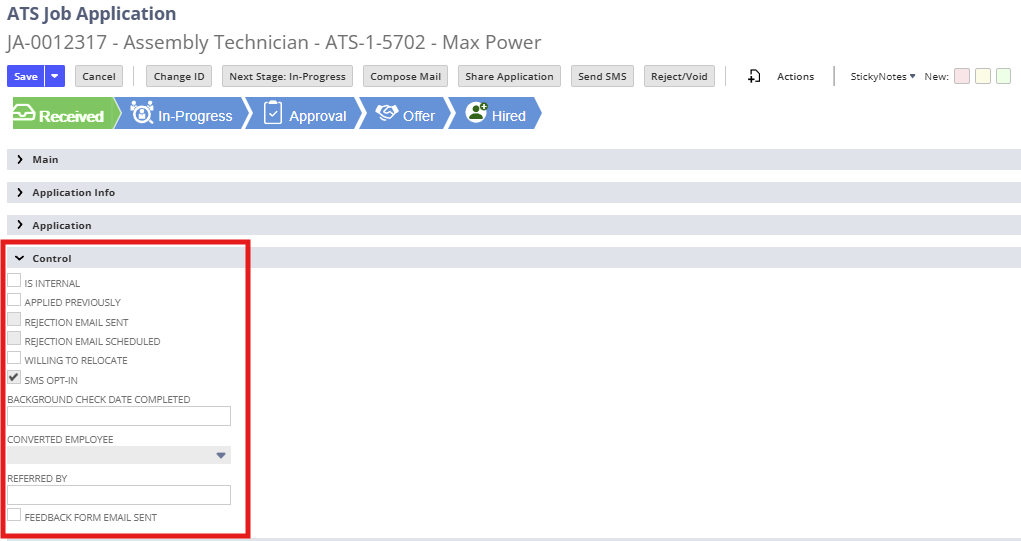
Step 6: Review Additional Control Fields
The application form also displays:
- Internal vs external applicant indicators
- Relocation willingness
- SMS opt-in status (if enabled)
- Referral information (if provided)
- Background check completion (if applicable)
Most of these fields are system-controlled and auto-populated.
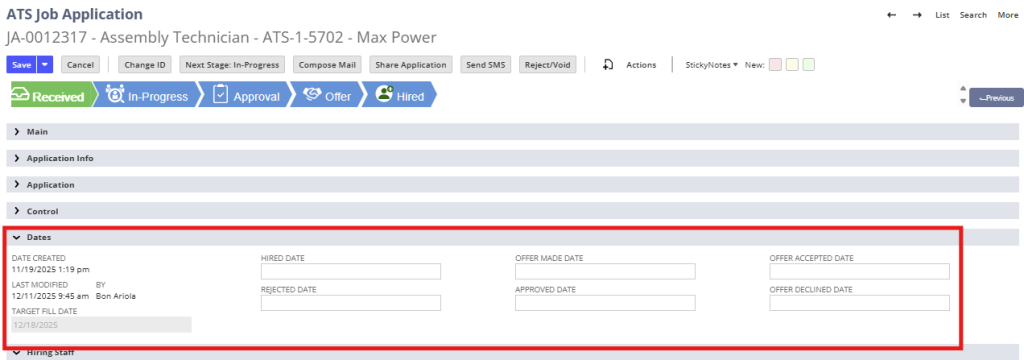
Step 7: Review Application Dates
Key system-tracked dates include:
- Application created date
- Last modified date
- Target fill date (from job posting)
- Rejected date (if applicable)
- Offer and approval dates (once reached)
These fields are read-only and support audit tracking.
4. Summary of Outcome
When the Job Application Form is reviewed correctly in the Received stage:
- All applicant data is visible and verified
- Screening flags and risk indicators are clearly identified
- Recruiters can confidently decide to progress, hold, or reject
- The application is ready to move into In Progress and interview stages
The Received stage ensures a clean, complete, and review-ready foundation for the remainder of the ATS360 hiring workflow.