
Welcome Package
Last updated
1. Overall Process & Purpose
What This Feature Does
The Welcome Package allows recruiters or HR to send onboarding-related documents and information to a newly hired employee after offer acceptance. This package supports pre-start engagement and ensures new hires receive required materials before their start date.
Why This Feature Exists
The Welcome Package exists to:
- Centralize onboarding communication within ATS360
- Ensure consistent delivery of required documents
- Reduce manual follow-up before Day 1
- Provide a professional onboarding experience
Value Provided
- Recruiters can complete post-offer steps efficiently
- New Hires receive clear, organized onboarding information
- HR benefits from documented delivery of onboarding materials
2. Definitions
| Term | Definition |
|---|---|
| Welcome Package | Email and document bundle sent post-hire |
| Pre-Hire Package | Alternate name used in some configurations |
| Hired Stage | Workflow stage after offer acceptance |
| Package Documents | Forms or files included in the package |
| Email Sent Subtab | Log of all sent onboarding communications |
3. Step-by-Step Directions
Step 1: Confirm Applicant Is in Hired Stage
- Open the Job Application
- Verify the application is in the Hired stage
The Welcome Package option is only available at this stage.
Step 2: Open the Welcome Package
- Click Welcome Package
You will be taken to the package email screen.

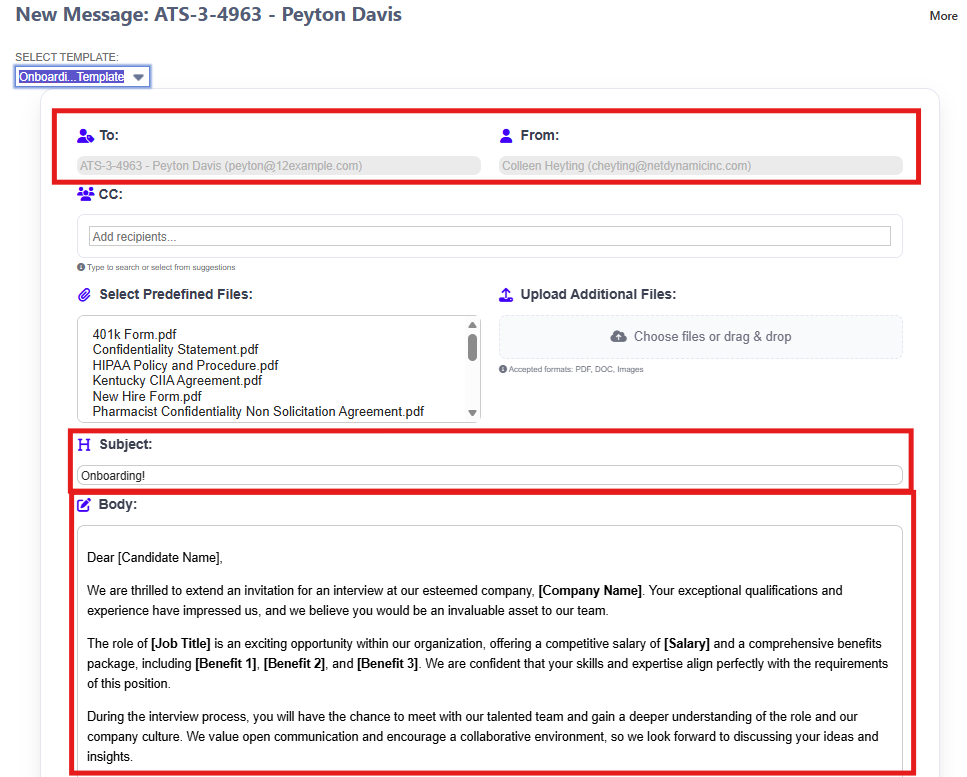
Step 3: Review Email Details
Auto-Populated Fields
- To: New hire’s email address
- From: Default HR
- Subject: Pre-filled based on template
- Body: Pre-filled based on template
Step 4: Attach Required Documents
- Review any pre-attached documents
- Add or remove attachments as needed
Typical Documents
- Employee handbook
- Policy acknowledgments
- Tax or payroll forms
- Benefits overview
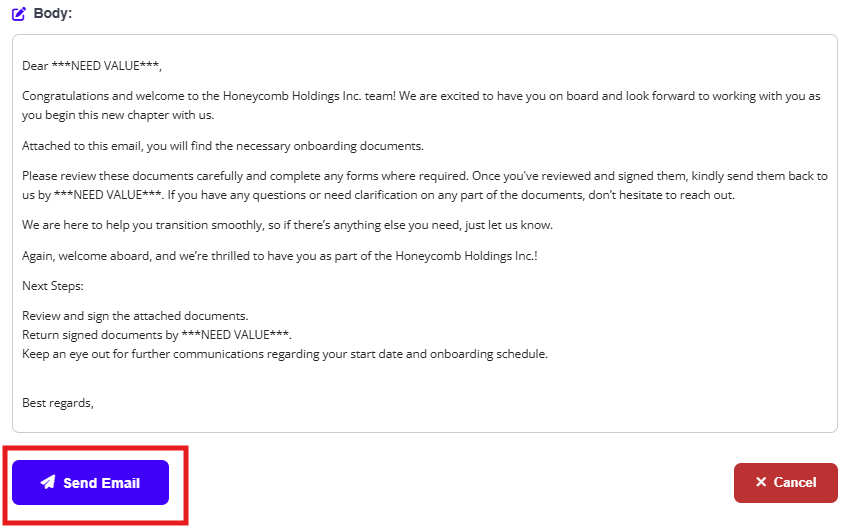
Step 5: Review and Send the Package
- Review the email content
- Confirm all required documents are attached
- Click Send
Step 6: Verify Package Delivery
- Return to the Job Application
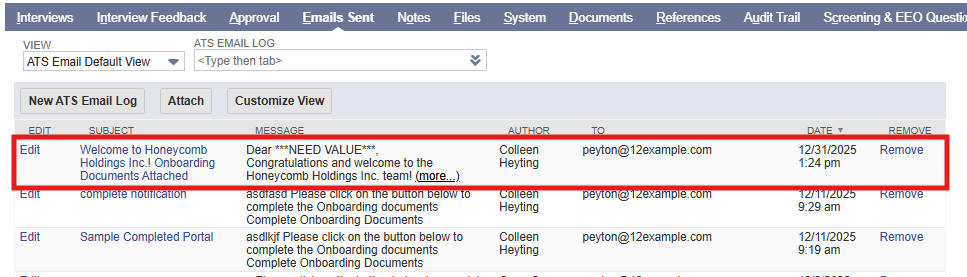
- Open the Email Sent subtab
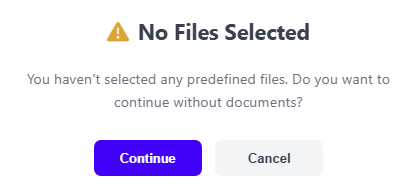
- If there are no files selected, confirm on the pop-up window.
The Welcome Package appears with full details and timestamp.
4. Summary of Outcome
When the Welcome Package is sent successfully:
- The new hire receives onboarding materials
- Delivery is documented in ATS360
- Pre-start engagement is completed
- The hiring workflow is fully closed out
The Welcome Package supports a smooth, professional transition into employment within ATS360.