
Convert Candidates to Employees
Last updated
1. Overall Process & Purpose
What This Stage Does
The Convert to Employee action finalizes the hiring process by creating a NetSuite Employee record from the accepted job application. This step transitions the individual from applicant to employee while preserving all hiring history in ATS360.
Why This Stage Exists
This stage exists to:
- Eliminate duplicate data entry between ATS and HR systems
- Ensure employee records are created consistently
- Preserve a complete audit trail from application through hire
- Enable downstream HR, payroll, and onboarding processes
Value Provided
- Recruiters can complete the hire without re-entering data
- HR receives a pre-populated employee record
- Operations & Payroll benefit from clean, standardized employee data
2. Definitions
| Term | Definition |
|---|---|
| Hired Stage | Workflow stage indicating offer acceptance |
| Convert to Employee | Action that creates the NetSuite Employee record |
| Employee Record | Active NetSuite employee profile |
| Subsidiary | Legal entity assigned to the employee |
| Employee ID | System-generated identifier |
3. Step-by-Step Directions
Step 1: Confirm Offer Acceptance
- Open the applicant’s Job Application
- Verify:
- Offer status is Accepted
- Application is in the Hired stage
The Convert to Employee button is only available after acceptance.
Step 2: Start Conversion
- Click Convert to Employee
You will be redirected to the Employee creation screen.

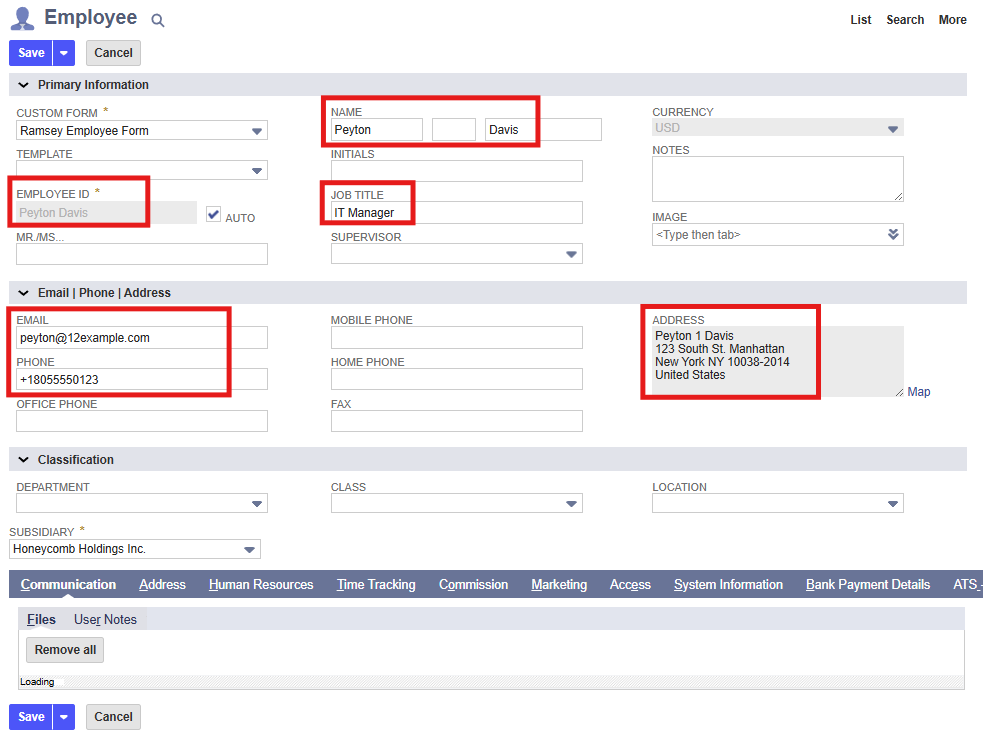
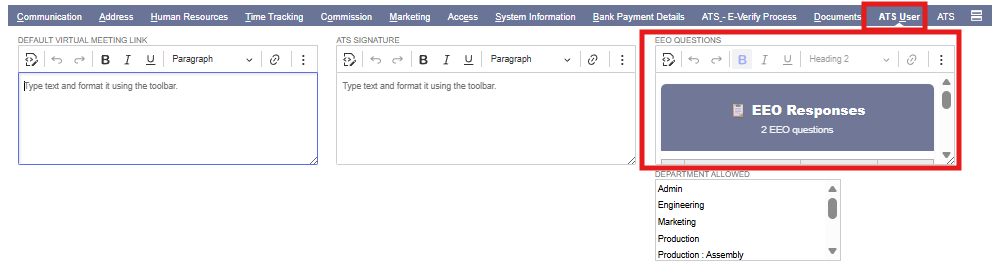
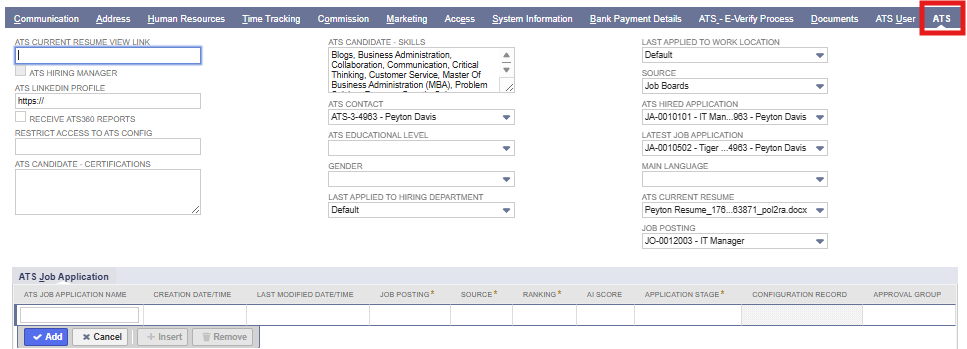
Step 3: Review Pre-Populated Employee Data
The following information is carried forward automatically:
- Full name
- Email address
- Phone number
- Job title
- Supervisor
- Subsidiary
- Start date
Recruiter/HR Action
- Review all fields for accuracy
- Make updates if necessary
Step 4: Complete Required Employee Fields
- Fill in any required NetSuite employee fields not populated by ATS360
- Confirm compliance with company requirements
Required fields vary by company configuration.
Step 5: Save the Employee Record
- Click Save
System Behavior
- A new Employee record is created
- The application remains linked to the employee
- Hiring history is preserved
Step 6: Verify Employee Creation
- Open the newly created Employee record
- Confirm:
- Employee status
- Subsidiary and role
- Start date
4. Summary of Outcome
When Convert to Employee is completed correctly:
- The applicant is successfully converted to a NetSuite employee
- All relevant application data is retained
- Downstream HR and payroll processes can begin
- The hiring lifecycle is fully documented
Convert to Employee ensures a seamless, accurate transition from candidate to employee within ATS360.