
Talent Pool: Overall Workflow
Last updated
1. Overall Process & Purpose
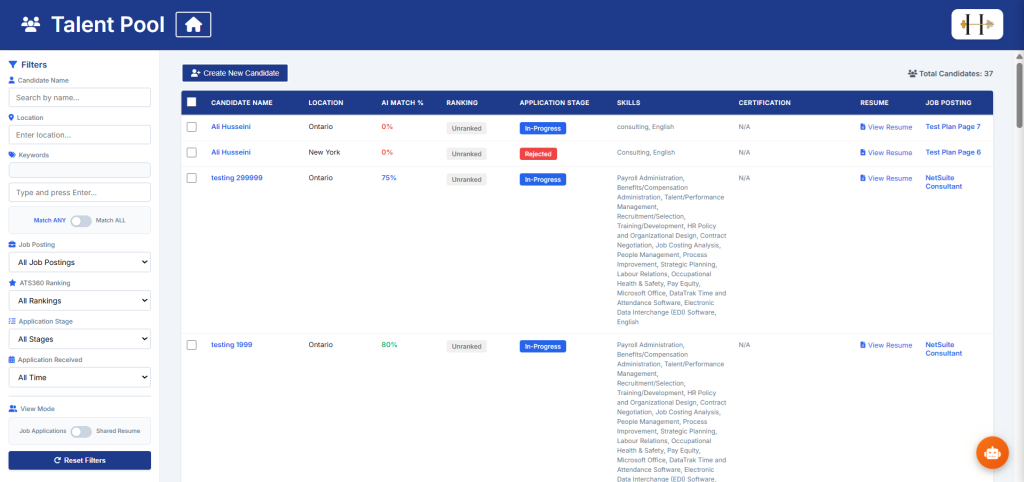
The Talent Pool module in ATS360 allows recruiters and HR teams to proactively organize, group, and manage candidates outside of a specific job posting.
While job postings manage active applicants tied to an open requisition, Talent Pools allow users to:
-
Filter all candidates for future hiring needs
-
Maintain pipelines for recurring roles
-
Segment candidates by location, skills, certifications and ranking among others
-
Quickly access and re-engage previously sourced or applied candidates
This module exists to support long-term recruitment strategy, not just immediate hiring.
Value to Recruiters
-
Reduces time-to-fill for recurring roles
-
Enables proactive sourcing
-
Keeps strong candidates engaged even when no active job is available
Value to Hiring Managers
-
Provides pre-qualified pipelines
-
Supports faster shortlisting when a job opens
Value to HR
-
Creates structured talent segmentation
-
Improves workforce planning and succession visibility
2. Definitions
Talent Pool A saved group of candidates organized by a specific theme, role type, skill set, or campaign.
Candidate Search The search interface used to locate candidates in the ATS database using filters, keywords, or saved searches.
Add to Talent Pool Action that assigns selected candidate(s) to an existing or newly created Talent Pool.
Bulk Select Checkbox functionality that allows multiple candidates to be selected simultaneously.
3. Step-by-Step Directions
Step 1: Access the Talent Pool Area
-
Log into ATS360.
-
Navigate to the ATS Dashboard.
-
Select Talent Pool.
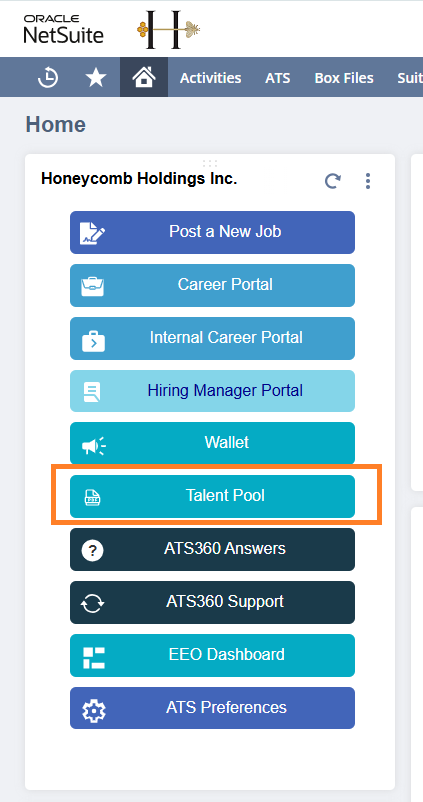
You will land on the Talent Pool dashboard.
Step 2: Search for Candidates
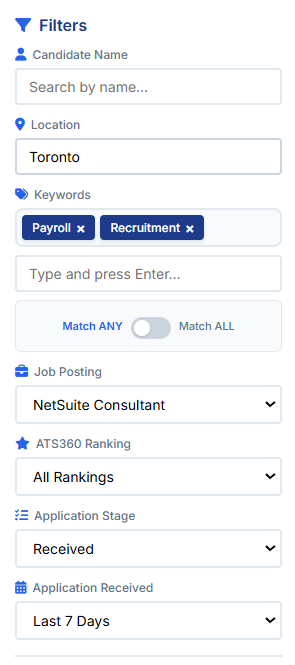
To search for candidates effectively we have added many filters to refine your results and find the best candidate for your positions.
-
Navigate to Filters.
-
Use filters such as:
-
Keywords
-
Location
-
Skills
-
Certifications
-
Ranking
-
Application Received Date
-
-
Talent Pool will automatically update and filter accordingly.
-
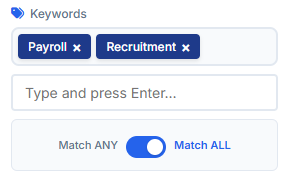
(Optional) Toggle the Keywords filter to Match ANY or Match ALL to further refine your results.
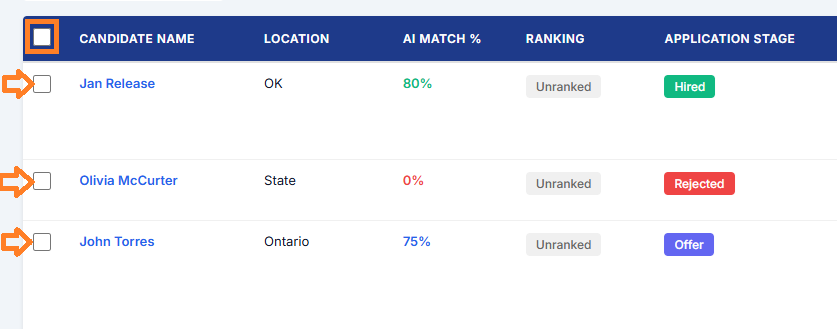
Step 3: Select Candidates
-
Use the checkbox next to individual candidates
OR
-
Use the bulk select option to select multiple candidates at once.
You may select:
-
Individual candidates.
-
Multiple candidates at once.
Step 4: Create new applications for candidates
- After selecting candidates, click Create Application(s).
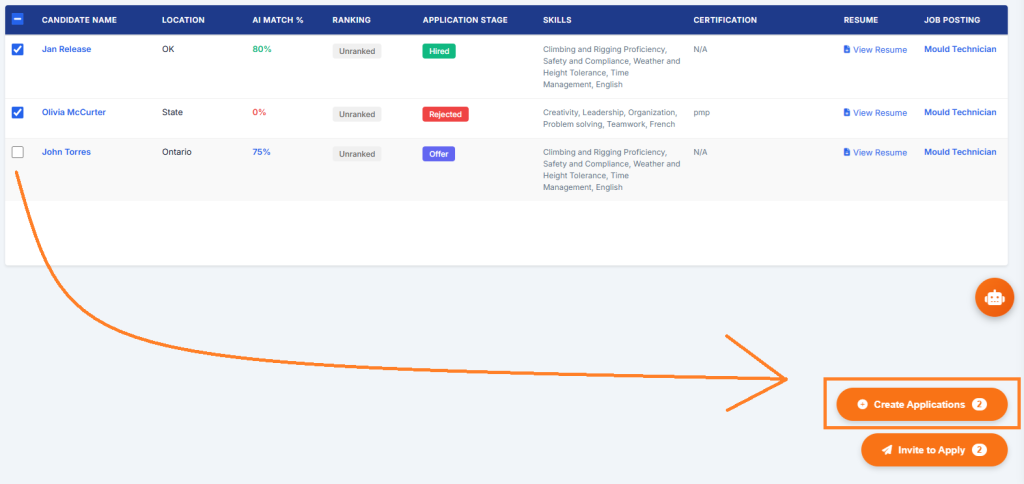
- Select the desired Job Posting.
- Click Create Application(s).
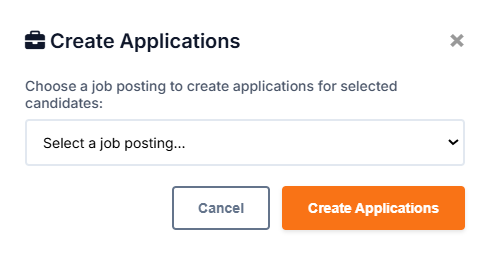
System behavior:
- The system will notify and create applications for the candidates selected in the specified Job Posting.
Step 5: Invite Candidates to Apply
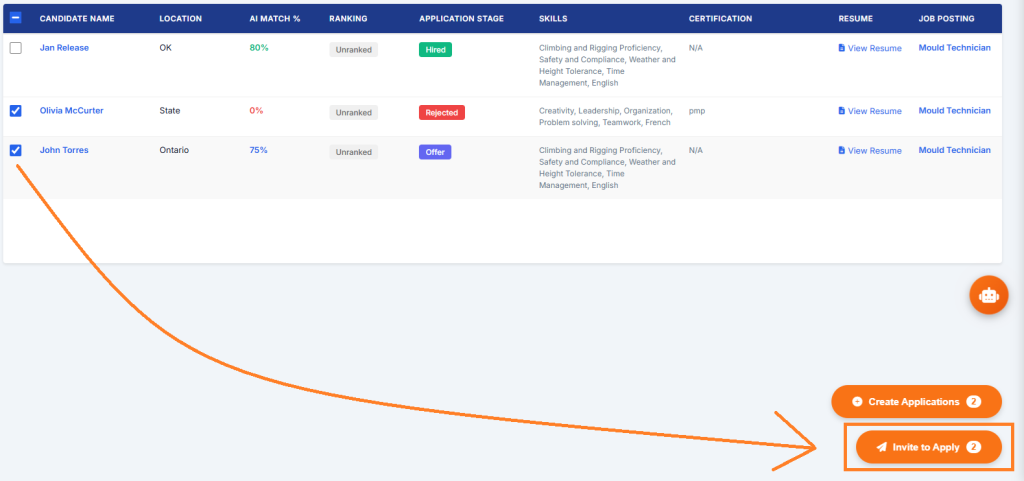
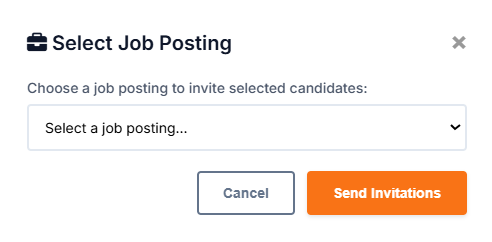
- After selecting candidates, click Invite to Apply.
-
Select the desired Job Posting.
-
Click Send Invitations.
System behavior:
- The system will notify and invite the candidates selected through an email to apply to the chosen Job Posting.
Step 6: Add new candidates to the Talent Pool
-
Navigate to the Talent Pool from the ATS Dashboard.
-
Click Create New Candidate at the top of the candidate list.
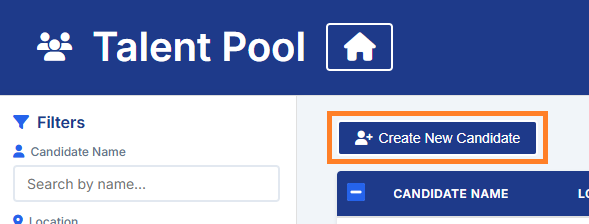
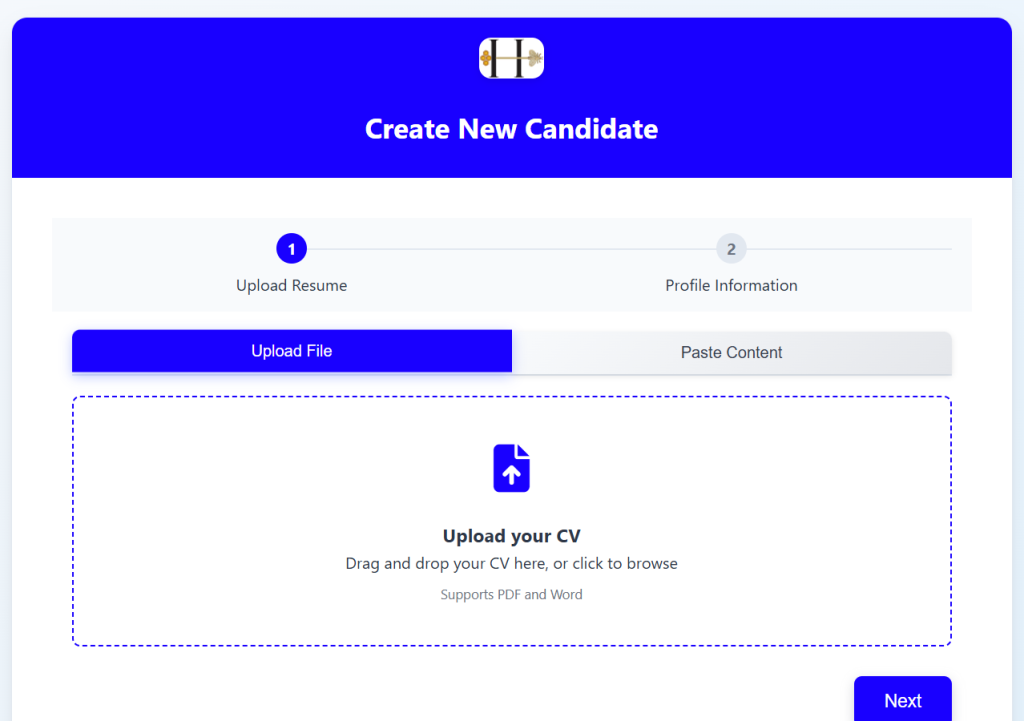
- You will be redirected to the Easy Apply portal. Here, you can provide the candidate's resume or paste their profile information to parse their details accordingly.
System behavior:
-
The system will create a new candidate profile based on the entered information.
-
The Candidate is automatically added to the Talent Pool.
-
The Candidate can be invited to apply or applications can be created on their behalf.
4. Summary of Outcome
When the Talent Pool workflow is used effectively:
-
Candidates can be searched and filtered accordingly.
-
Candidates can manually be added to ATS 360.
-
Candidates can be Invited to Apply to any open position, individually or in bulk.
-
Applications can be created on behalf of Candidates for any open position, individually or in bulk.
The Talent Pool module supports proactive hiring strategy and structured candidate management within ATS360.