
Sending a Reference Check
Last updated
1. Overall Process & Purpose
What This Feature Does
The Reference Check feature allows recruiters to request, collect, and review professional references directly within ATS360. Reference requests are sent electronically, and responses are stored on the applicant’s record for review before final hiring decisions.
Why This Feature Exists
Reference checks exist to:
- Standardize how references are requested and documented
- Eliminate manual reference tracking outside the system
- Ensure reference feedback is available before offers or hiring
- Maintain compliance and documentation standards
Value Provided
- Recruiters can manage references without email follow-ups
- Hiring Managers gain structured reference insights
- HR benefits from traceable, stored reference documentation
2. Definitions
| Term | Definition |
|---|---|
| Reference Check | Process of requesting and reviewing applicant references |
| Send Reference Request | Action that emails a reference questionnaire |
| Reference Contact | Individual providing feedback on the applicant |
| Reference Response | Completed questionnaire submitted by a reference |
| References Subtab | Location where reference activity is tracked |
3. Step-by-Step Directions
Step 1: Start the Reference Check
- Open the applicant’s Job Application
- Confirm the applicant is in a stage where reference checks are permitted depending on configuration
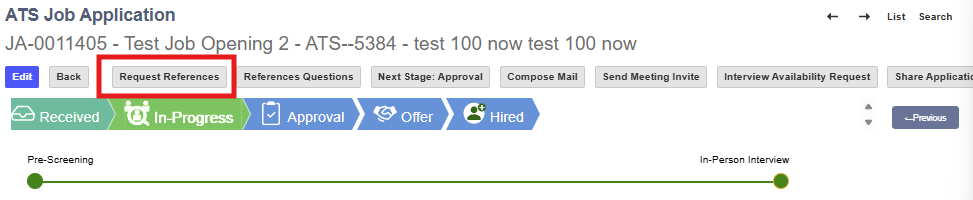
- Click Request References
- Confirm successful email

Step 2: Applicant’s View - Enter Reference Information
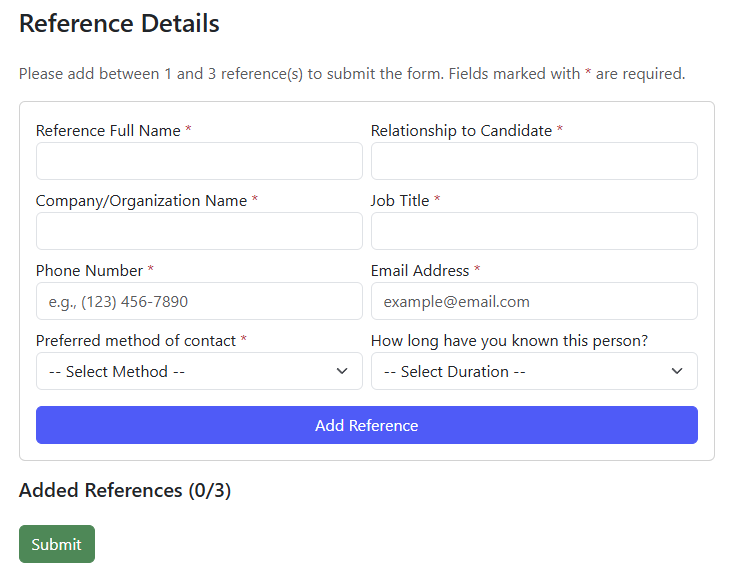
- Applicant receives email with a link to the reference form.

- Populate all fields
- Repeat process for required number of references. Amount depends on configuration.
Step 3: Send the Reference Request Form
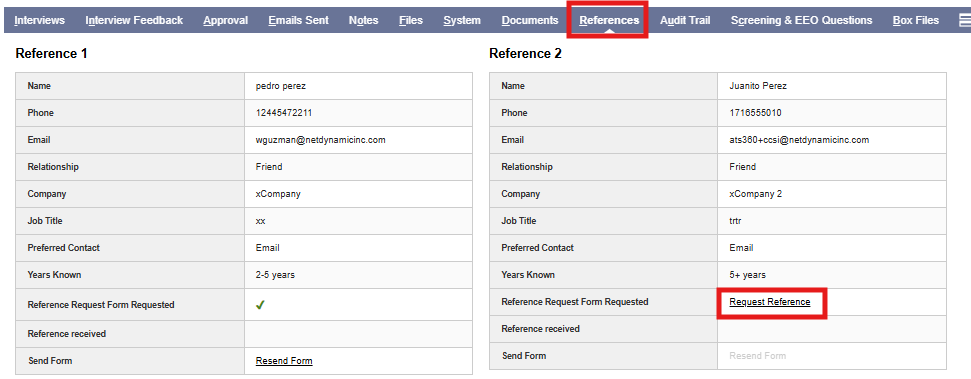
- Visit References subtab and select Request Reference for each reference provided.
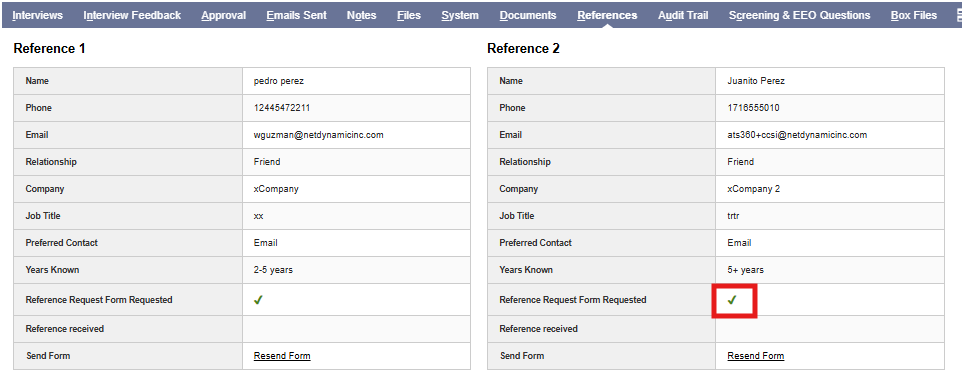
- Application record will refresh confirming submission
- Visit Emails Sent subtab to review.
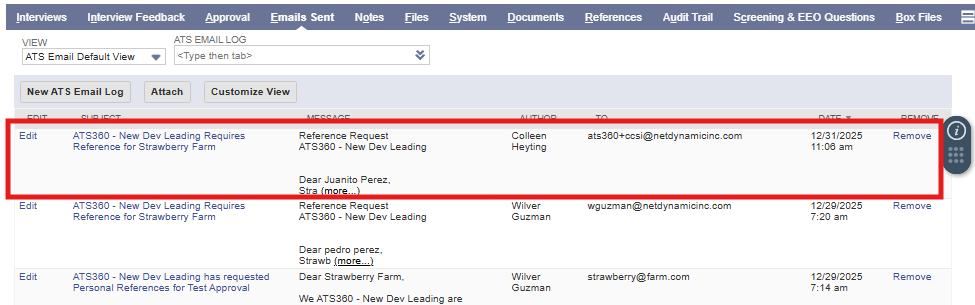
System Behavior
- The reference receives an email with a secure link
- No system login is required for the reference
Step 4: Reference Completes the Questionnaire
From the reference’s perspective:
- Open the email
- Click the secure link
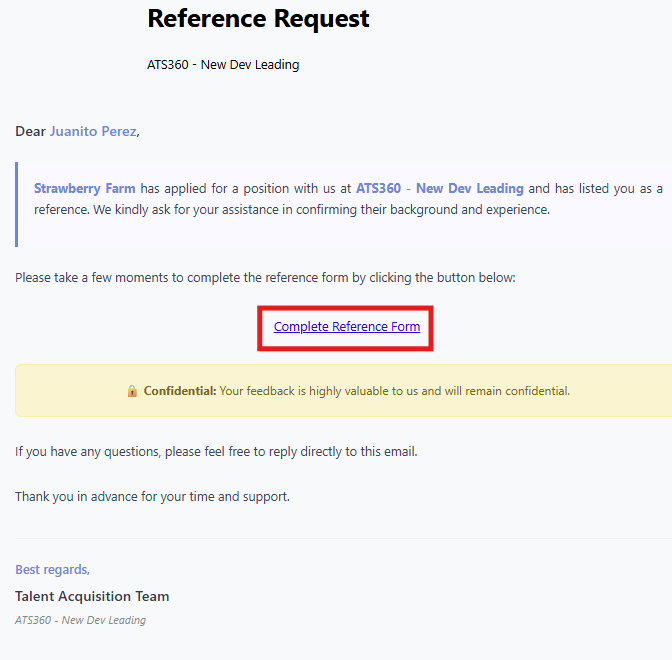
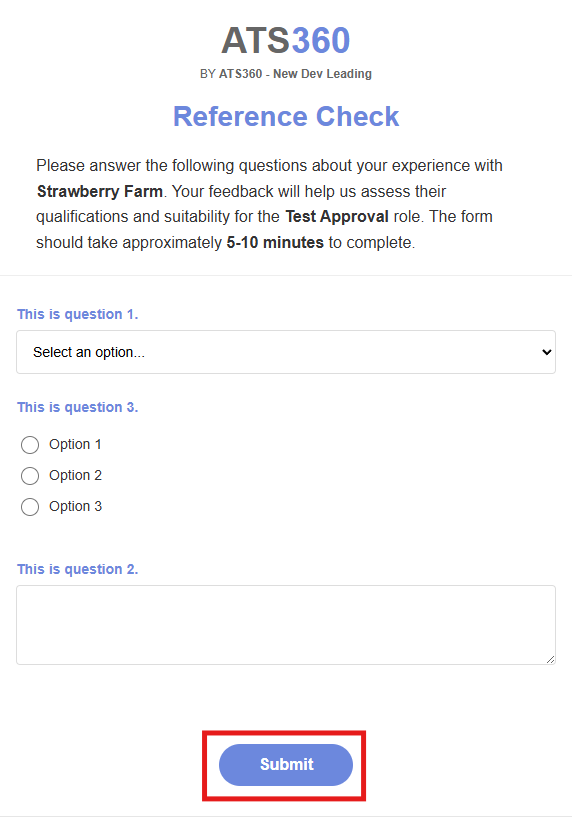
- Complete the reference questionnaire
- Submit the response
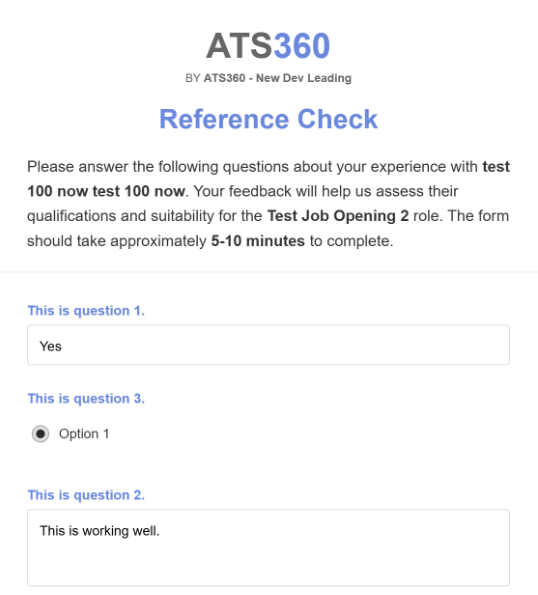
Step 5: Review Reference Responses
- Return to the Job Application
- Open the References subtab and select Review Reference Form
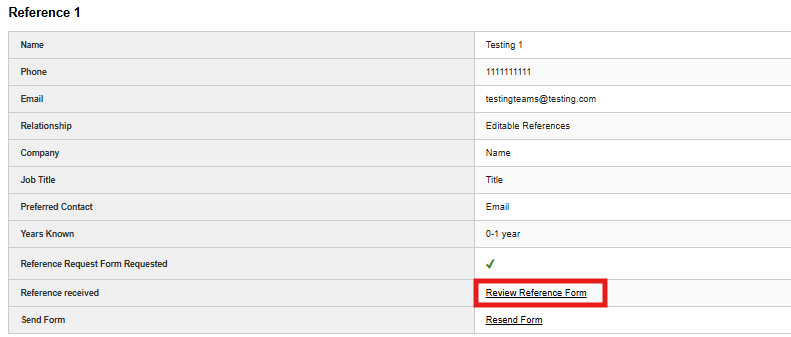
- Review completed questionnaire
Status Indicators
- Pending
- Completed
Step 6: Use Reference Feedback
Recruiters may use reference feedback to:
- Proceed with Approval or Offer
- Hold the applicant
- Reject the applicant
Reference feedback does not automatically advance the applicant.
4. Summary of Outcome
When the Reference Check process is completed correctly:
- Reference requests are sent and tracked in ATS360
- Responses are securely collected and stored
- Recruiters and hiring managers can review reference feedback
- Hiring decisions are supported by documented third-party input
The Reference Check feature provides a structured, auditable approach to reference verification within ATS360.